
🐰The new design process (2026 Edition)

The old way: Research → Wireframes → UI → Handoff
Every arrow in that chain was a place where something got lost.
The new way: Research → AI exploration → Prototype → AI build → Testing → Ship
The new process doesn’t end with you throwing work over a fence. It ends with you having helped build the actual thing. Let’s walk through each one.
But first, we wanted to share that we are doing our last live CoCreate summer design camp
10 weeks. 50+ hours of live learning, designing, building, and shipping.
You’ll work directly with coaches from Apple, Google, Meta, Microsoft, and other top companies while building alongside some of the most exciting 0→1 AI startups working on consumer products.
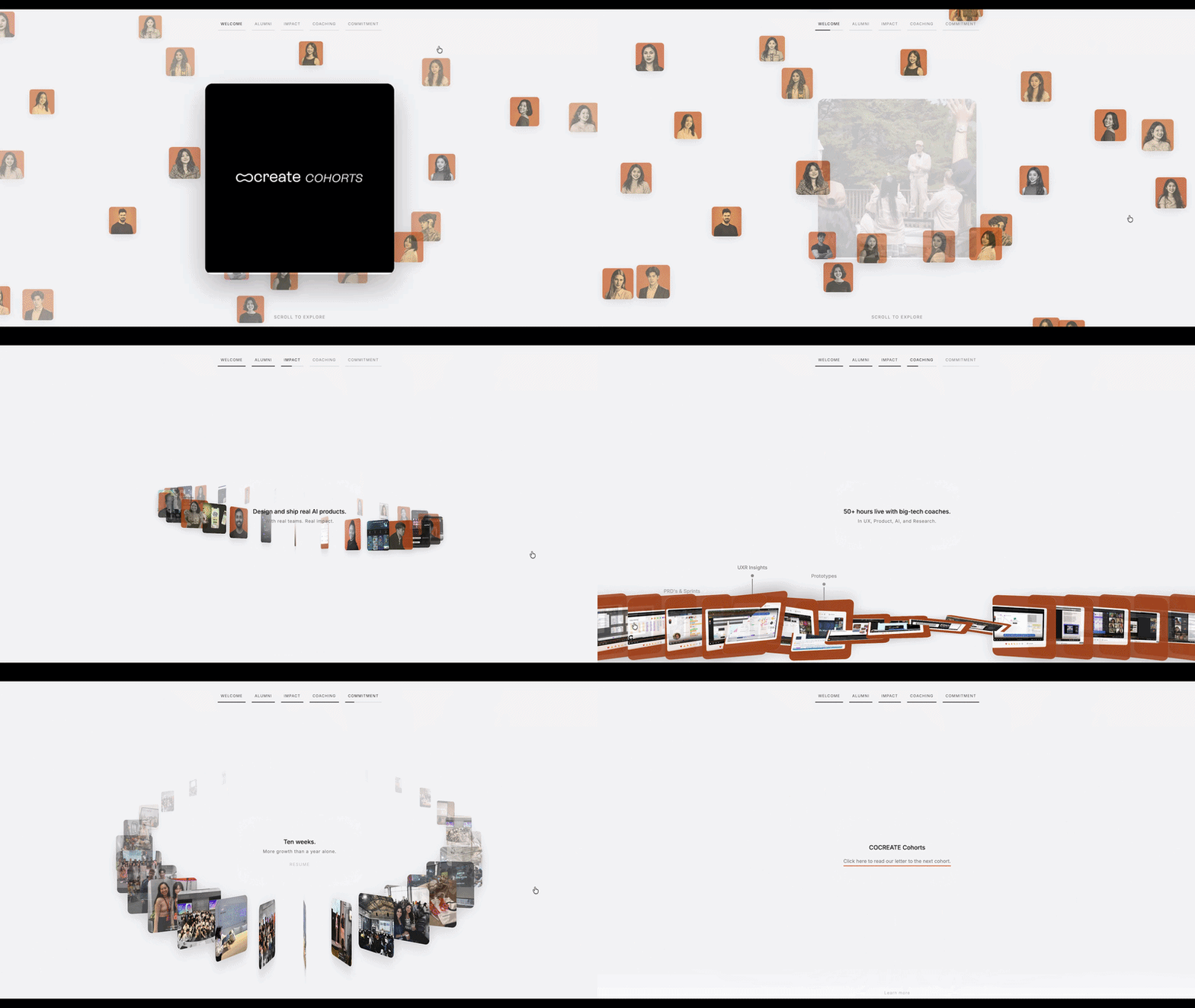
We’re opening just 2 final spots before June ww
What you’ll do:
• Design and ship real consumer AI products
• Work in small teams of 3–5 people
• Build alongside founders, designers, developers, and operators
• Learn modern AI-native workflows used by top product teams
It’s our last live design cohort, but something new is also coming!
1. Research
When execution gets cheap, judgment gets expensive.
AI can generate fifty screens in the time it used to take you to make one. Which means the bottleneck is no longer “can we build it.” The bottleneck is “do we know what to build and for whom.” That’s research. That’s YOU :D
What changed: AI is now a research teammate, not a replacement. You can throw raw user interview transcripts into a model and ask it to surface patterns, tag pain points, and flag where I’m projecting my own assumptions onto a quote. It’s like having a research assistant who never gets tired and occasionally tells you if you’re wrong.
What did NOT change: you still have to talk to actual humans. A model can synthesize a transcript. It cannot notice that someone’s voice changed when they described the part of the product they secretly hate.
2. AI exploration
Old world: you’d commit to one direction early because exploring three directions in high fidelity was insanely expensive. You’d “wireframe” partly because you couldn’t afford to be wrong in color.
New world: you explore in breadth and fidelity at the same time. Tools like Figma’s First Draft, Galileo, Uizard, or Google Stitch and even Claude design and Codex and Replit turn a prompt or a rough sketch into multiple real-looking directions in minutes. You generate five vibes, kill four of them, and keep the one that made you feel something.
The mindset shift: stop treating your first idea as precious. The cost of a bad idea used to be a week. Now it’s a prompt and ninety seconds. Generate ten.
3. Prototype
The prototype stage is where you, the designer, shape it.
This is still the most human-judgment-heavy part of the whole process. AI gives you a plausible flow. You decide if the flow respects the user, makes sense at 2am on mobile data, handles the error state, and doesn’t dark-pattern someone into a subscription.
The prototype is no longer a static clickable Figma file pretending to be real. It’s increasingly the real thing in disguise thats interactive, stateful, close enough to ship that testing it actually means something.
4. AI build
You used to hand off a design and hope. Now you can prompt a working build. Tools like Figma Make, v0, Lovable, and Bolt take a design or a description and generate real, functional code.
This does not make you an engineer, and it does not make engineers obsolete. What it does is collapse the distance between “here’s my design” and “here’s a thing you can click.” The build that comes out still needs real engineers for accessibility, performance, security, semantics, and the entire universe of production reality that a prompt does not understand.
What actually changes for you: you stop handing off intent and start handing off proof. Instead of a 40-frame Figma file and a doc nobody reads, you bring a working prototype that demonstrates the interaction, the motion, the edge cases. Engineering builds the production version faster because they’re arguing with a real thing instead of interpreting a flat picture.
The handoff didn’t disappear. It became a conversation between two working artifacts instead of a wall.
5. Testing
Because your prototype is now functional, you can put a real experience in front of real users instead of a clickable illusion that breaks the second someone goes off your golden path.
This means testing moves earlier and happens more often. You’re not validating a static mockup of a checkout flow. You’re watching someone actually try to check out, hit the broken state you forgot about, and rage quit.
The mindset shift: test the thing that behaves like the thing. Lower the ceremony, raise the frequency.
6. Ship
Ship is no longer a finish line you cross and forget. The loop is tighter now. You ship, you watch, you feed what you learn back into research, and you go around again faster each time, because every stage is cheaper than it was two years ago.
The new process isn’t really a line. It’s a circle that got faster.
AI made the making cheap. It made the thinking more valuable.
That’s not the end of design. That’s the most fun design has been in a decade.
What you can do now
Pick one small idea this week a feature, a side project, a redesign of something that annoys you. Take it through the whole new loop: research it lightly, explore with AI, shape a real prototype, prompt a build, test it on one human, and ship something. Even if “ship” just means a link you send to a friend.
Events
Online event: Design feedback Fridays, every friday at 11 am pacific time on our Discord
San Francisco (Fri June 26, 9 am): Config 2026 Wind-down Picnic RSVP
Los Angeles (Sat Jul 18): Worlds in Action Hack [02-LA]: RSVP
Resources
One month free Granola meeting notes (favorite meeting notes app)
One month free Wonder design tool, use code DB2026. Generate designs with the latest models, edit with Figma-level precision, and connect your code context all on the same canvas.
20% off for Mobbin, the world’s largest library of real-world design inspiration! https://mobbin.com/designbuddies
$10 free Replit credits for you to build + new designer mode launched
🐰 About Design Buddies
Design Buddies is a community where you level up your design career. Land jobs, improve your design skills, and make friends. We have resources, events, design challenges, job boards, fun perks, and more.
👋 Visit our website and hop into our Discord community.
💖 Partner with us, or share your resources in our newsletter (email grace@designbuddies.community)
🌟 Watch our past events and connect with us on Instagram, Twitter, and LinkedIn for more fun!
Got anything else you’d like to see in our newsletter and community? Please email grace@designbuddies.community